Health analytics
Use trends from medications, symptoms, hydration, meals, and tasks to support faster and more informed care decisions.
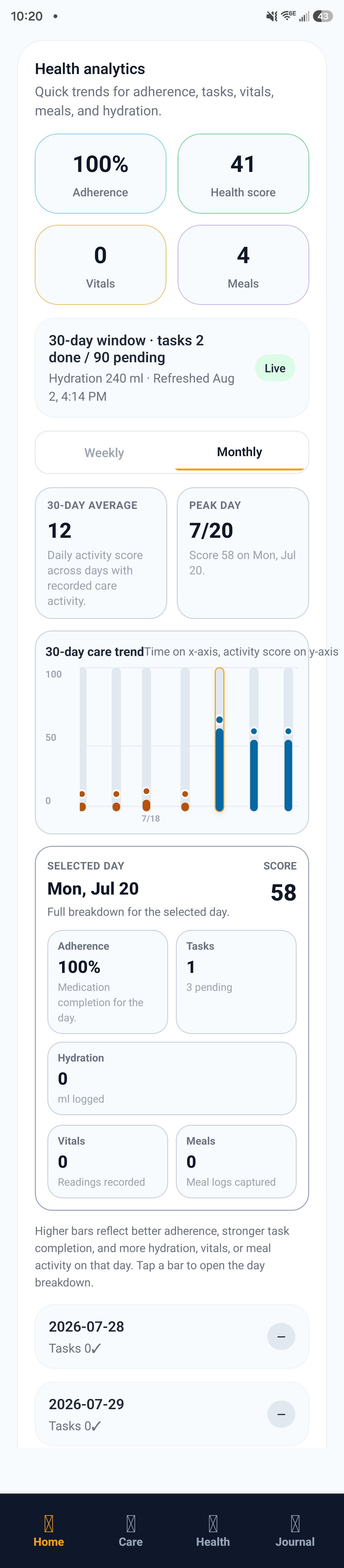
Health analytics summary: adherence, health score, and selected day breakdown.
How to review analytics
- Choose a timeframe that matches your care review cycle.
- Check adherence trends for medications and tasks.
- Compare symptom and intake patterns across days.
- Flag sudden changes for follow-up or provider review.
Decision support tips
- Use trend shifts, not one isolated data point, to guide escalation.
- Pair analytics with notes for better clinical context.
- Share concise summaries during handoff or appointments.
How calculations work
For a deeper breakdown of formulas, scoring, and trend logic, open the detailed calculations guide.
Example
A 7-day view shows reduced meal intake and hydration plus increased fatigue notes. Caregiver escalates to provider with summarized trend evidence.