Medication schedules, logs, and reminders
Follow this pattern to keep dosing records reliable, especially across multiple caregivers and shifts.
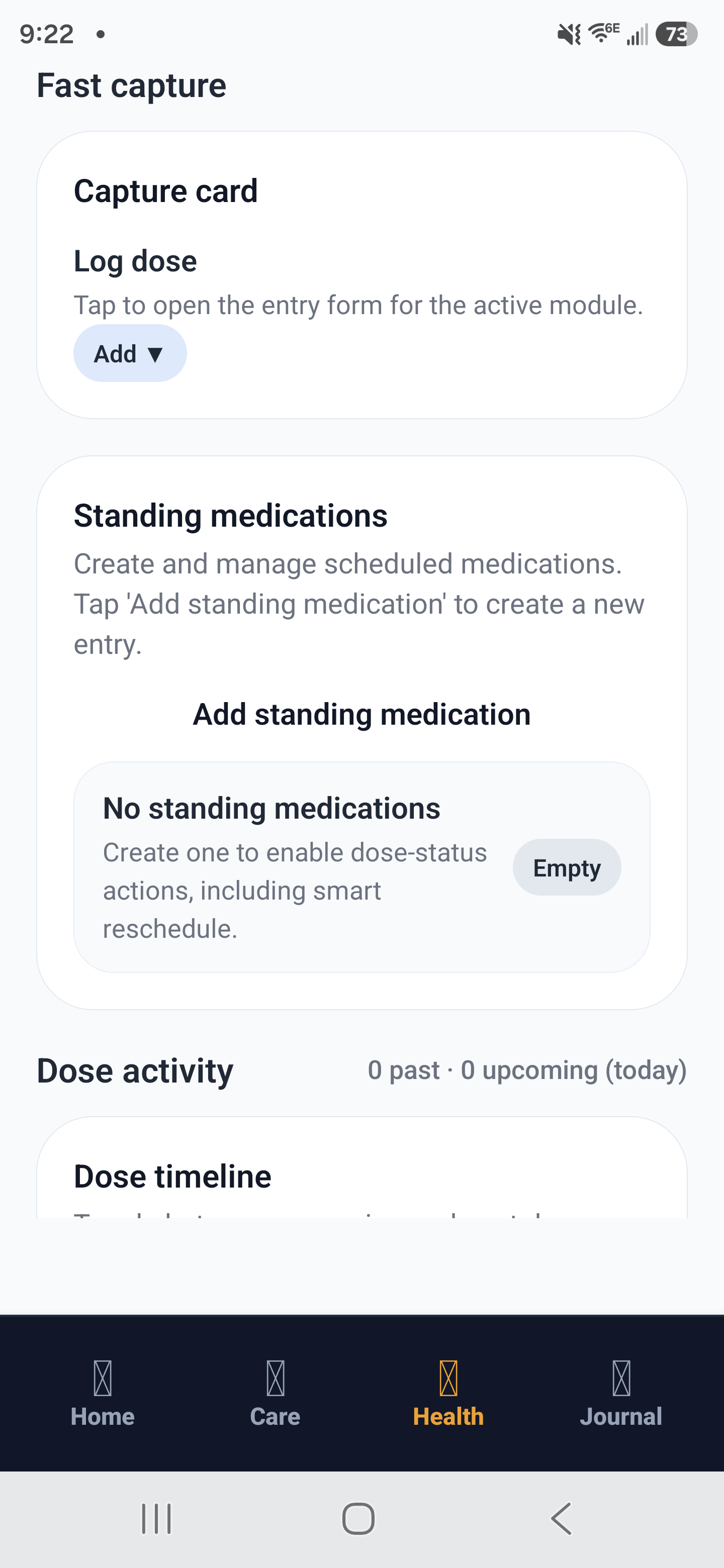
Medication workflow: dose timeline, standing medications, and active medication logs.
Build a safe medication schedule
- Create one medication entry per prescription with exact strength and route.
- Set frequency, time windows, and any food-related constraints.
- Add start date and, if needed, stop date.
- Enable reminders for all caregivers who administer medications.
Log every administration the same way
- Open the due item and confirm patient identity.
- Record dose given, exact time, and caregiver name.
- Add note only when needed: refusal, side effect, late dose reason.
- If not given, choose the correct status instead of leaving it blank.
Log one-time medication vs standing medication
- One-time medication: log it as a single administration event and mark it complete after the dose is given.
- Standing medication: log each scheduled dose separately so ongoing adherence stays accurate over time.
- If a standing dose is skipped or delayed, record the correct status for that dose instead of editing previous entries.
One-time example: Acetaminophen 650 mg once after procedure, given at 14:10 and completed.
Standing example: Lisinopril 10 mg daily at 08:00, logged each morning as its own administration record.
Example handoff
Morning caregiver logs Metformin 500 mg at 08:05 with breakfast. Evening caregiver sees complete log history and skips duplicate administration at 08:30 because the record is already present.
Smart rescheduling for standing medications
If a standing dose is missed or late, the app can try to move it to the next reasonable time instead of leaving it as missed.
Read the full guide: Smart rescheduling help topic
Checklist before ending shift
- No overdue items without a status.
- All PRN doses include reason and response note.
- One-time doses are marked complete and standing doses are logged per schedule.
- Any schedule change is reflected in future reminders.