Application structure and tab overview
The app is organized around a small set of primary tabs so caregivers can move quickly between daily operations, clinical context, and communication. This guide gives a high-level description of each tab.

Home tab overview: summary and daily action context for the active care account.
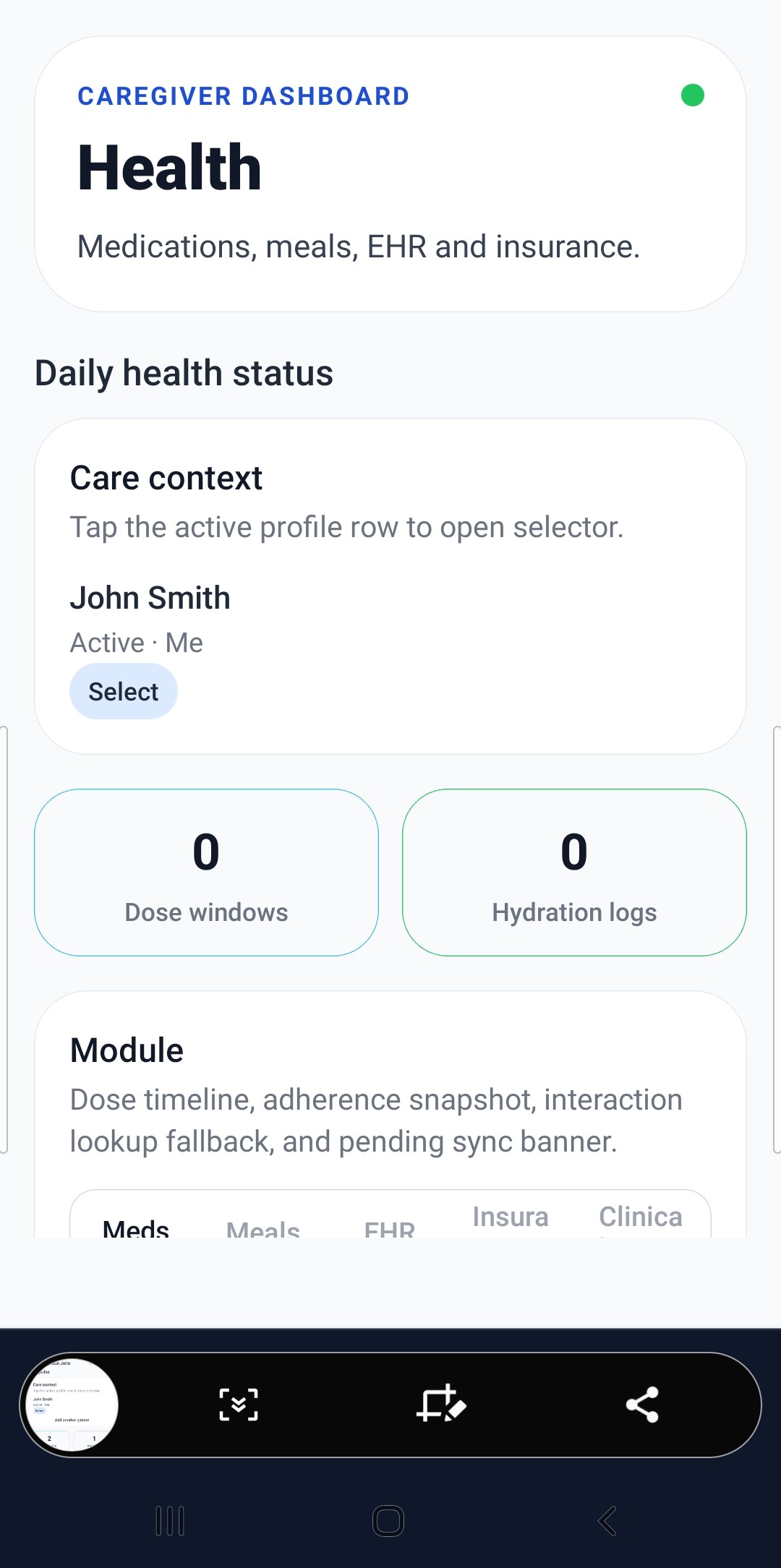
Health tab overview: medications, meals, EHR, and insurance summary in one place.
How the app is structured
The main experience is tab-based. Each tab groups related workflows so teams can focus on one type of task at a time:
- Home for daily summary and urgent items.
- Care for schedule execution and handoff tasks.
- Health (Tier 1 and Tier 2) or Patients (Tier 3) for clinical and record-of-care details.
- Journal for timeline notes and caregiver communication.
Primary tabs by tier
| Tier | Tab labels shown in app |
|---|---|
| Tier 1 and Tier 2 | Home, Care, Health, Journal |
| Tier 3 | Home, Patients, Care, Journal |
High-level description of each tab
| Tab | What it is for | Common workflows |
|---|---|---|
| Home | Day-at-a-glance view of priorities, overdue items, and recent activity. | Review alerts, verify what needs attention now, and launch into the right workflow. |
| Care | Operational care coordination and schedule execution. | Manage tasks, appointments, shifts, reminders, and handoff completion notes. |
| Health (Tier 1/2) Patients (Tier 3) |
Clinical and patient-specific records used for informed care decisions. | Track medications, meals/hydration, insurance documentation, EHR notes, and health insights. |
| Journal | Shared timeline and team communication center. | Capture care notes, post updates, and keep the team aligned between shifts. |
Related navigation paths
Detailed route names are documented in the navigation reference topic.
/(tabs)/dashboardfor Home/(tabs)/schedulefor Care/(tabs)/healthfor Health or Patients/(tabs)/messagesfor Journal
If your account is Tier 3, the Health area is labeled Patients to support multi-patient workflows across separate patient contexts.